Design System · Web Design
Projects
Projects
Services
Services
About me
About
Contact
Contact

Design System · Web Design
Design System Igni
Design System & UI Designer
1 Designer + 1 Developer
Figma, WordPress + Elementor
November 2025
Igni is a marketing agency that needed to produce its website and a steady flow of digital content, such as event landing pages and campaign assets. It had no design system, so every new page started from scratch, and keeping layouts, typography and colors consistent depended on memory rather than on shared rules.
The goal was to create a single source of truth in Figma: foundations, components and patterns that design and development could reuse to build Igni's web presence consistently and at scale.
The challenge was making one system flexible enough for very different outputs (a corporate website, conversion-focused event landing pages with registration forms, and future marketing content) while being implemented in WordPress Elementor, the platform the client required.
I chose Atomic Design because it's a well-documented method that breaks an interface into atoms, molecules and organisms. It gave me a clear order of work and a shared vocabulary with the developer.
I started with the foundations in Figma, using variables for color, typography, sizes and spacing, so every component draws from the same values instead of one-off styles. I defined type scales for desktop, tablet and mobile, then built components on top of those tokens and documented their states, so the developer could rebuild them in Elementor without guessing.
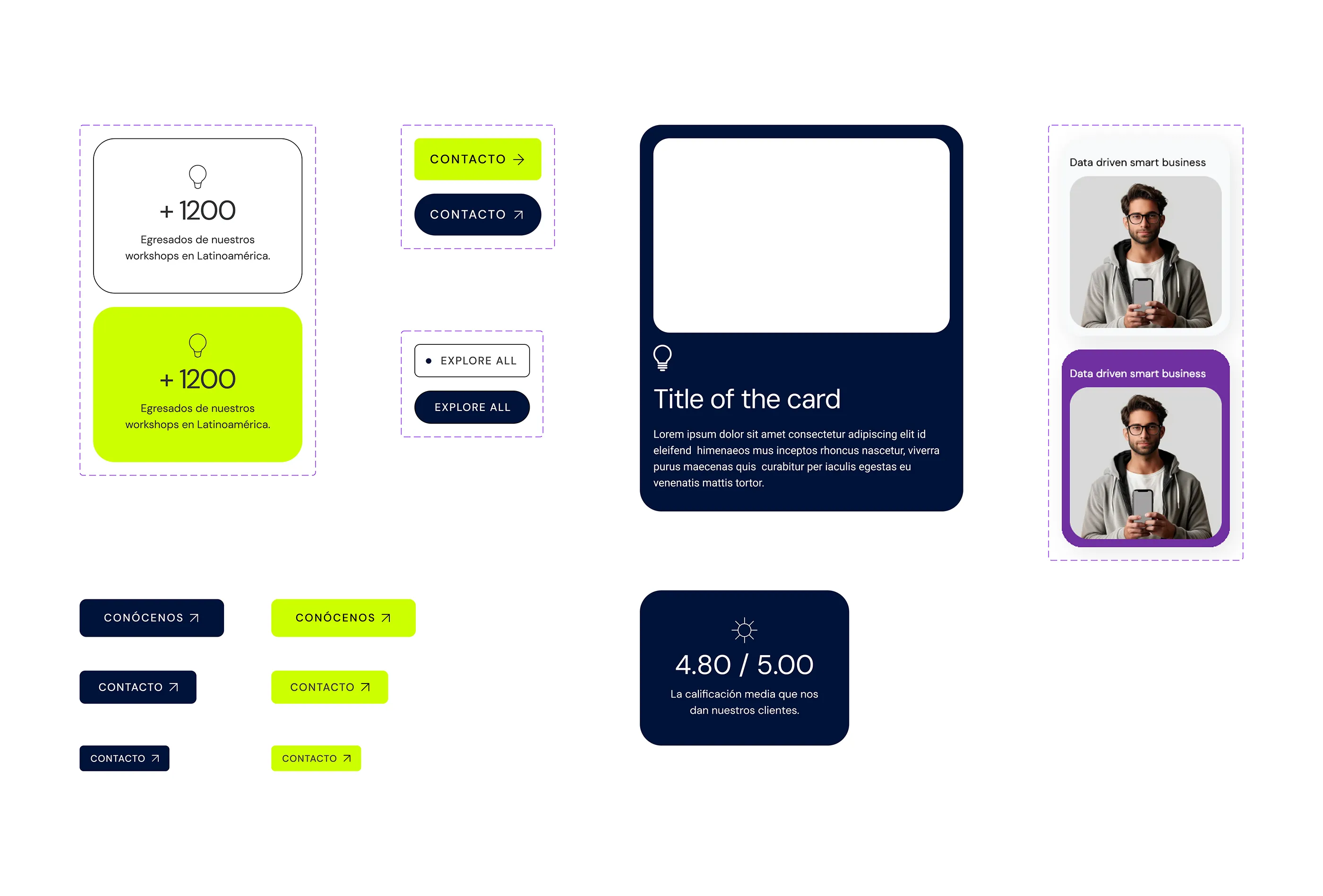
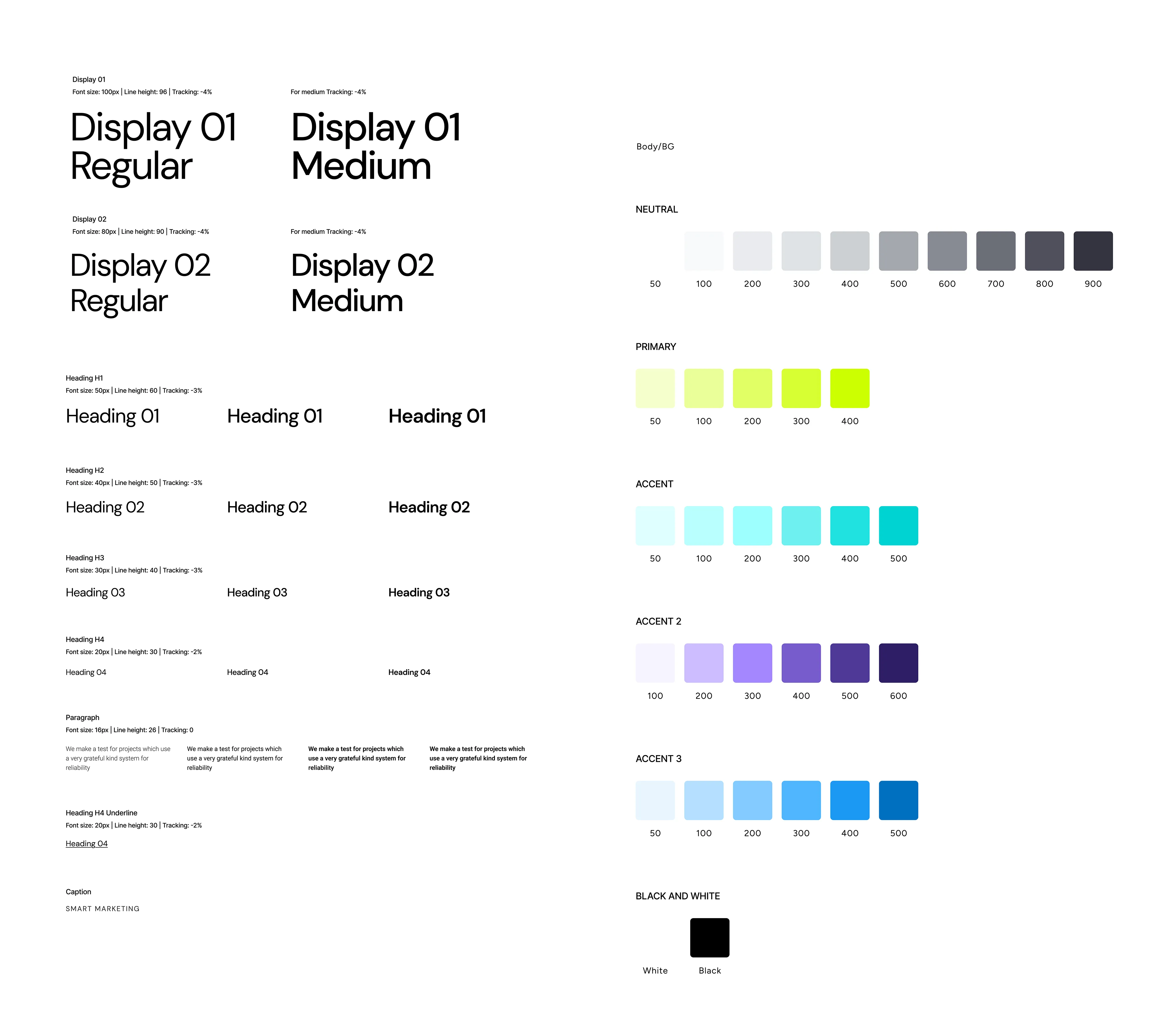
Atoms are the smallest building blocks: icons, buttons, avatars, typography and spacing. Each pulls its values from Figma variables, so changing one token updates every place it's used. Headings use DM Sans on a responsive scale for desktop, tablet and mobile.
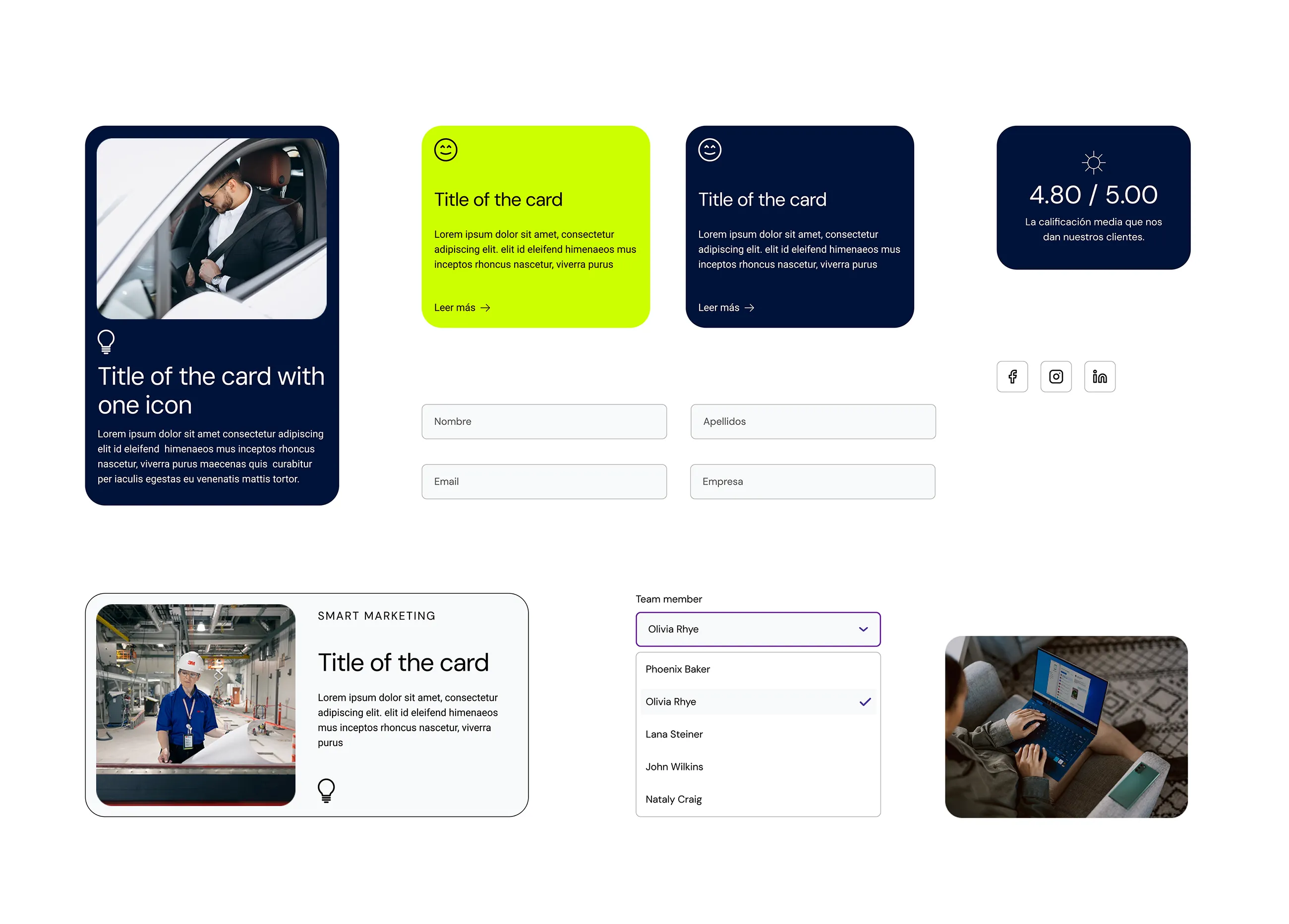
Molecules combine atoms into simple, reusable components. For each one I designed every scenario and state, so the system doubled as a reference showing developers how each component should behave as users interact with it.
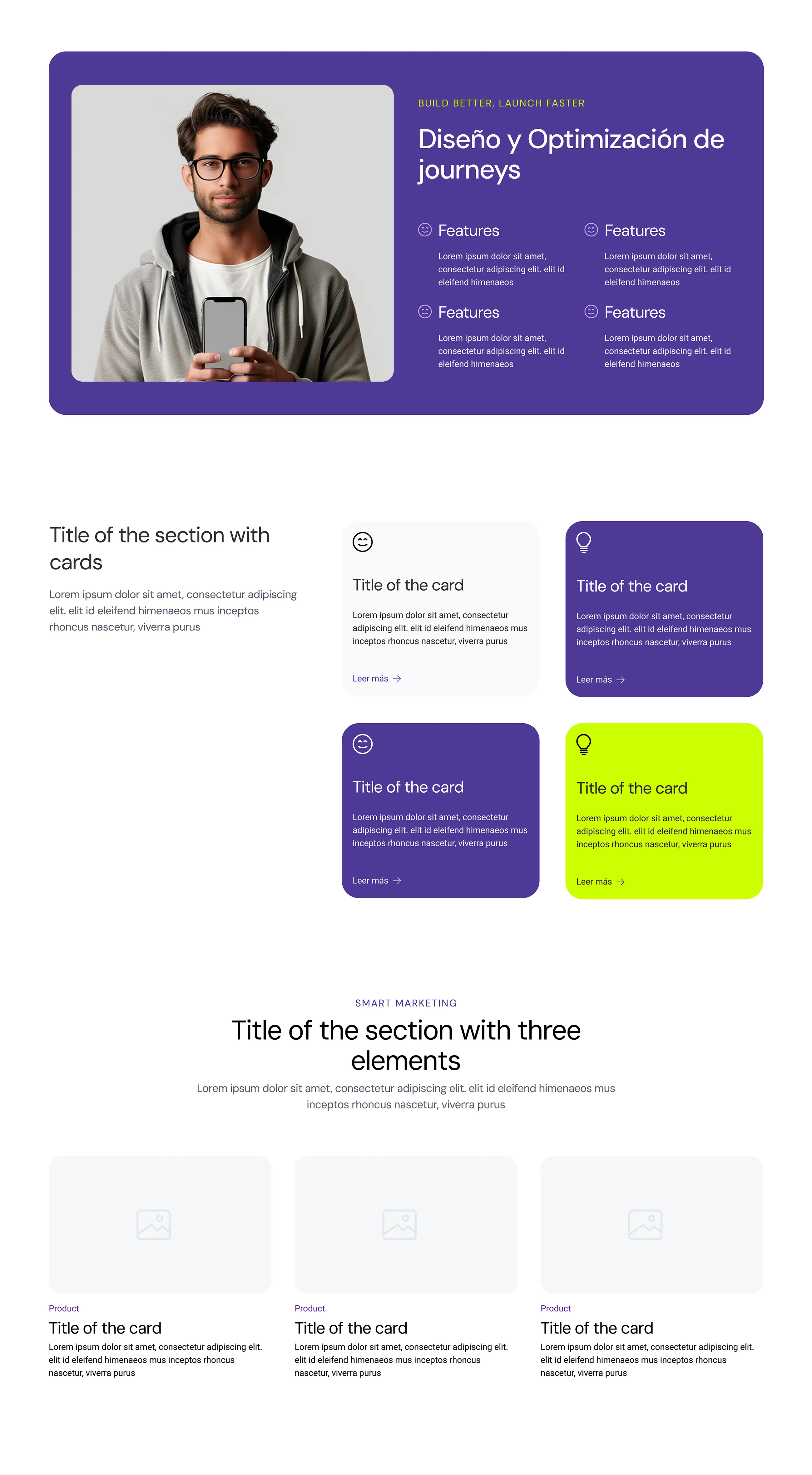
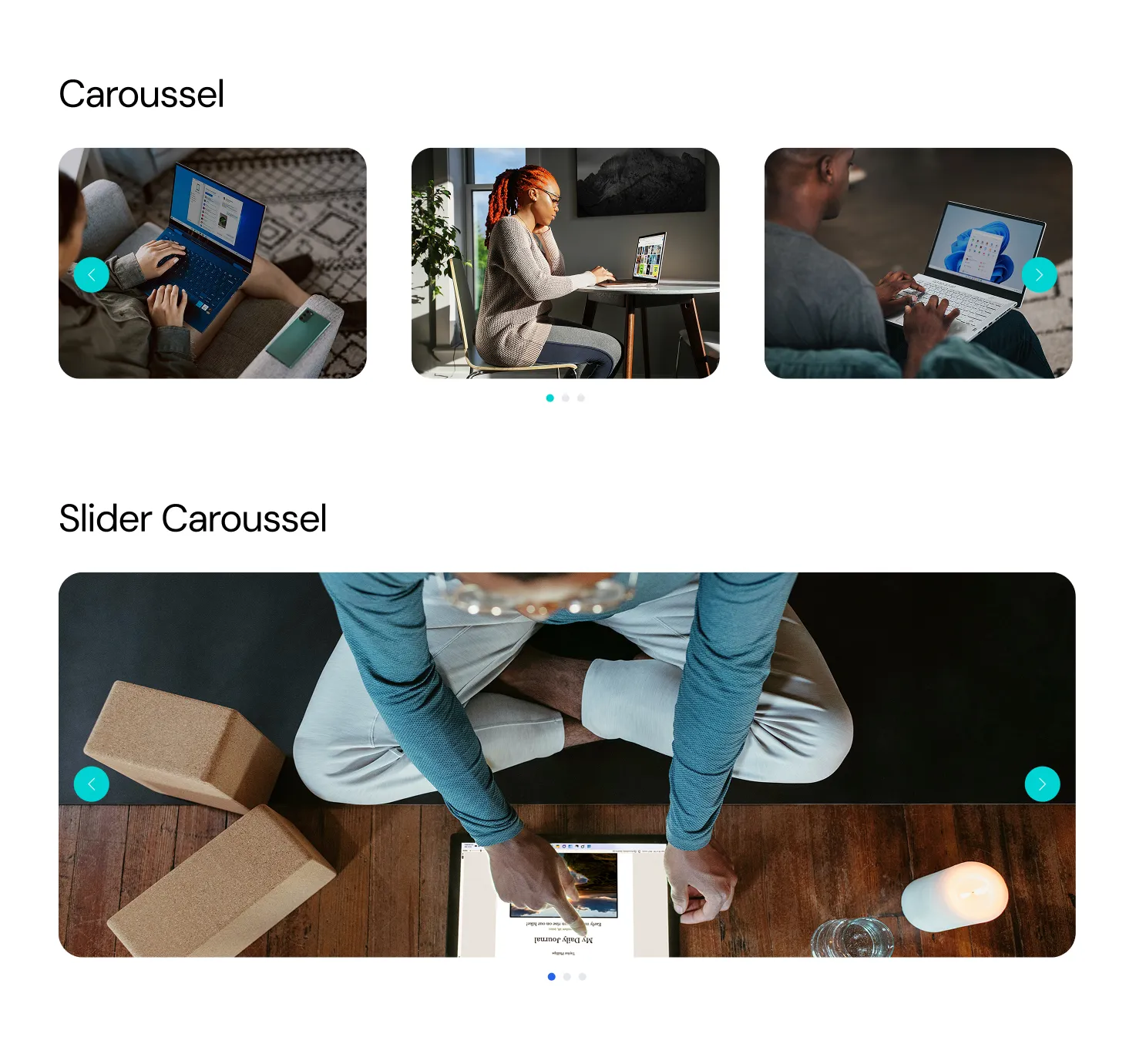
Organisms are the larger sections pages are assembled from: hero sections, sliders, carousels, card sections and testimonials. Because they're built from the same molecules and atoms, a new event landing page can be put together from existing sections instead of being designed from scratch.
With the foundations in place, the next iteration focused on accessibility: checking every text/background color pair against WCAG 2.2 AA (4.5:1 for body text, 3:1 for large text and UI elements), adding a visible focus state to every interactive component, setting a minimum touch-target size, and documenting heading order and alt-text rules, so new pages stay accessible as the team publishes them.
The system became the foundation for Igni's new website, built in WordPress Elementor, and for a series of event landing pages with registration forms designed to turn visitors into attendees. It was also set up to be reused for the agency's other digital content, so future pieces start from the same tokens and components.
My biggest learning: understand the implementation platform before designing components. Elementor's widgets don't map one-to-one to a Figma component library, so some components had to be simplified when they were built. Next time I'd review the platform's limits with the developer first and design within them. I'd also organize the system as foundations, components and patterns with semantic tokens (e.g. color-action-primary), the structure used by mature systems such as Salesforce's Lightning Design System.